Train BJJ logo

Train BJJ

The most complete training companion for Brazilian Jiu-Jitsu. Track sessions, analyze your game, and connect with training partners.

Download on the App Store

As Seen in the App Store

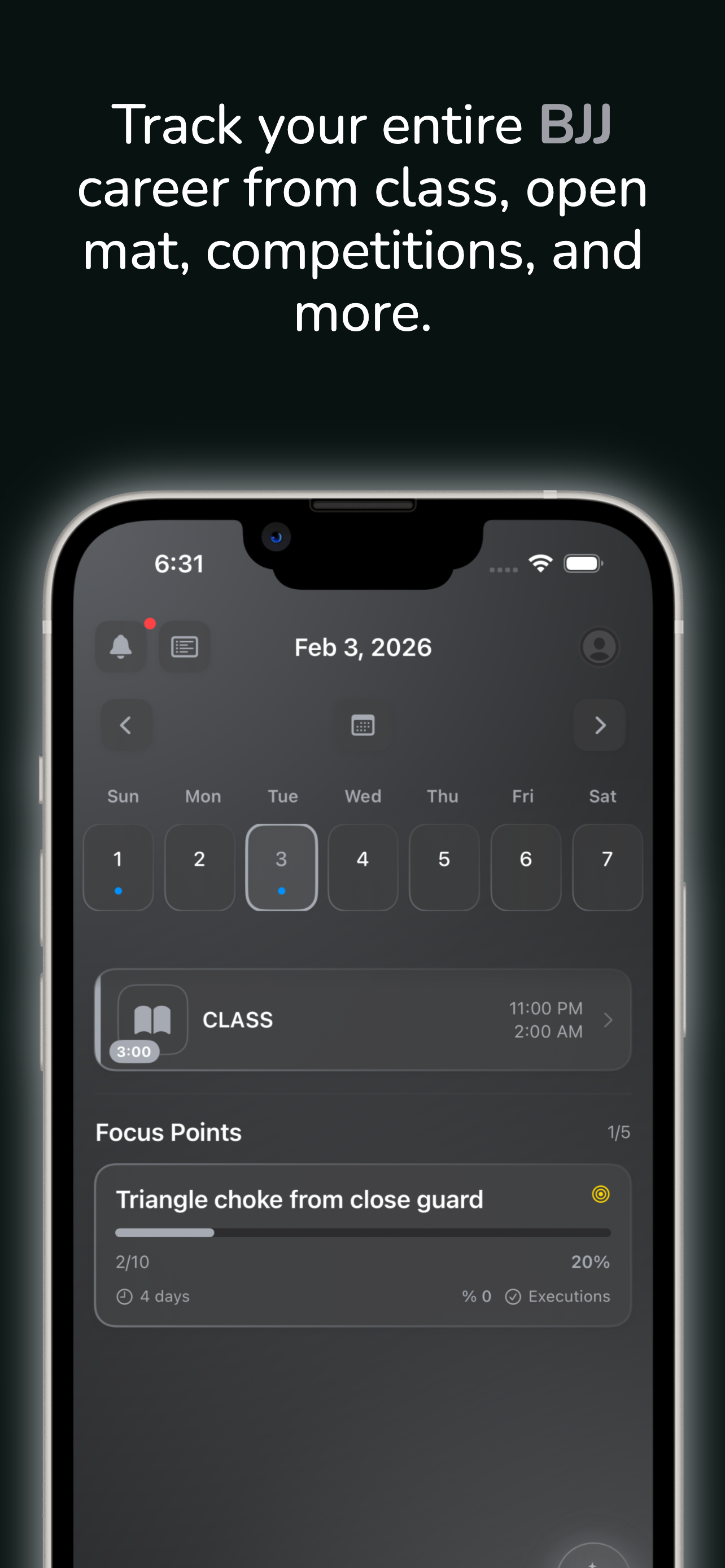
Track your BJJ career Advanced analytics AI-powered coaching Technique library Live session tracking Social feed

Built by practitioners, for practitioners.

Everything You Need to Level Up

From white belt to black belt, Train BJJ grows with your game.

Powered by AI

Your Personal BJJ Coach,
Always On the Mat

Train BJJ uses AI that actually understands your game. It reads your training history, knows your strengths, spots your weaknesses, and gives advice a real coach would give.

01

AI Training Coach

A coach that knows every session you've ever logged. Ask it anything about your game and get detailed, personalized advice based on your real training data.

  • Analyzes your stats, techniques, and patterns to give personalized coaching
  • 📈 Summarize your week, track progress, or ask "What should I work on?"
  • 🎯 Suggests focus points, new techniques, and game plans tailored to your belt level
  • ✍️ Creates techniques and focus points directly from the chat with one tap
AI Coach providing personalized coaching advice

Get detailed, technique-specific coaching based on your training history

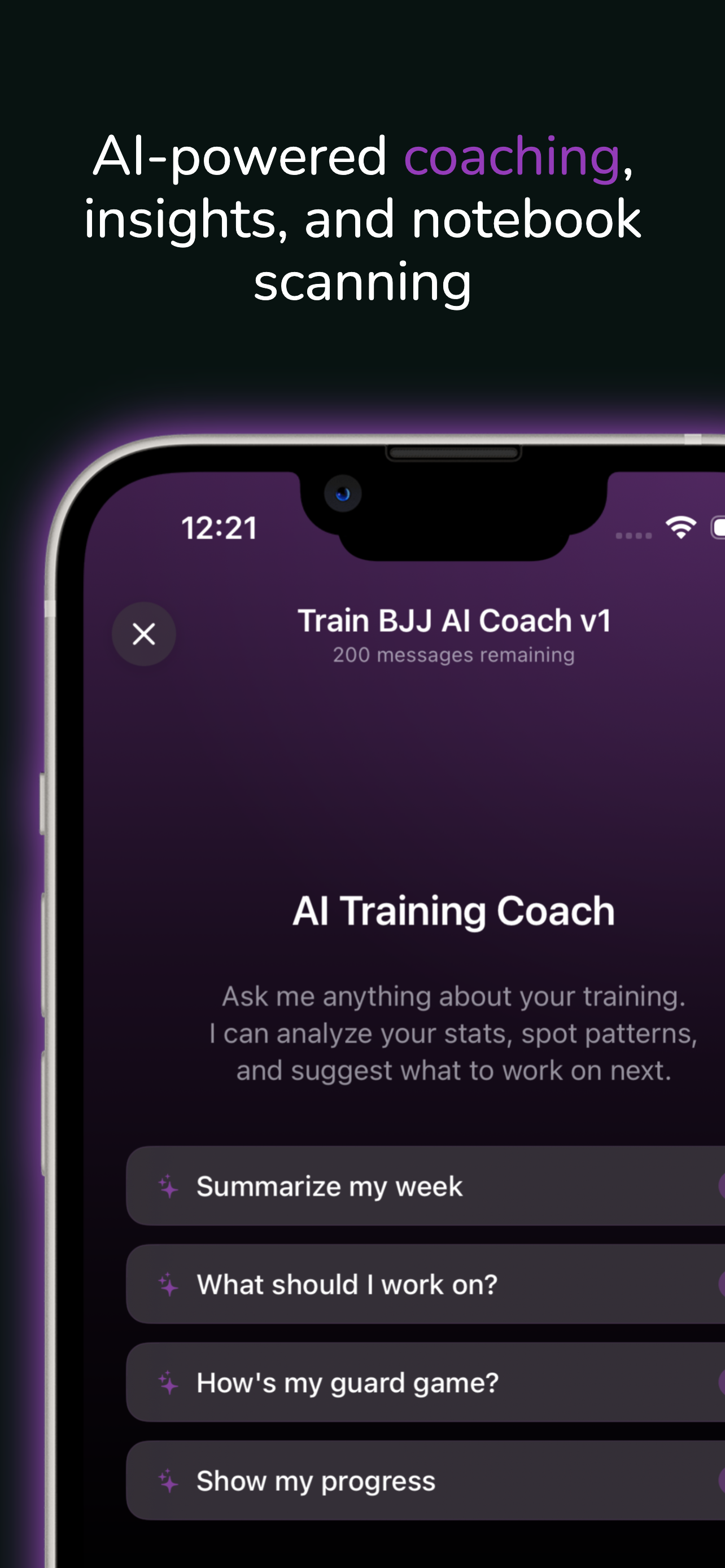
AI Coach intro with suggested prompts

Or start with suggested prompts like "Summarize my week"

Notebook Scanner

Photograph your handwritten BJJ notebook and let AI do the rest. Your notes are converted into a fully structured training session in seconds.

1
Snap or choose a photo Take a photo of your notebook page or choose one from your library
2
AI extracts your notes On-device OCR reads your handwriting, then AI parses session type, techniques, rounds, and notes
3
Auto-matches your workout If you trained with an Apple Watch, it finds the matching workout for heart rate and calories
4
Review and save Everything is pre-filled — class notes, open mat reflection, rounds, subs. Just review and tap Save
Scan notebook - pre-filled session ready to save

Pre-filled and ready to save

Scan notebook - access from the Scan button

Tap Scan to get started

Scan notebook - take photo or choose from library

Snap or choose a photo

Scan notebook - AI analyzing your notes

AI reads and analyzes

Post-Session AI Insights

After every training session, get an AI-generated breakdown of what happened on the mat. It connects the dots across your sessions and spots trends you might miss.

  • 📊 Analyzes your session stats, tagged techniques, and notes together
  • 💡 Identifies what's working, what needs attention, and recommends next steps
  • 🏆 Distinguishes offense vs. defense — knows a submission is yours and a tap is theirs
  • One-tap action buttons to add techniques, create focus points, or tag techniques to the session
Post-session AI analysis with insights and action buttons

Real-time AI feedback on every session with actionable suggestions

Real-Time Tracking

Your Open Mat,
Fully Accounted For

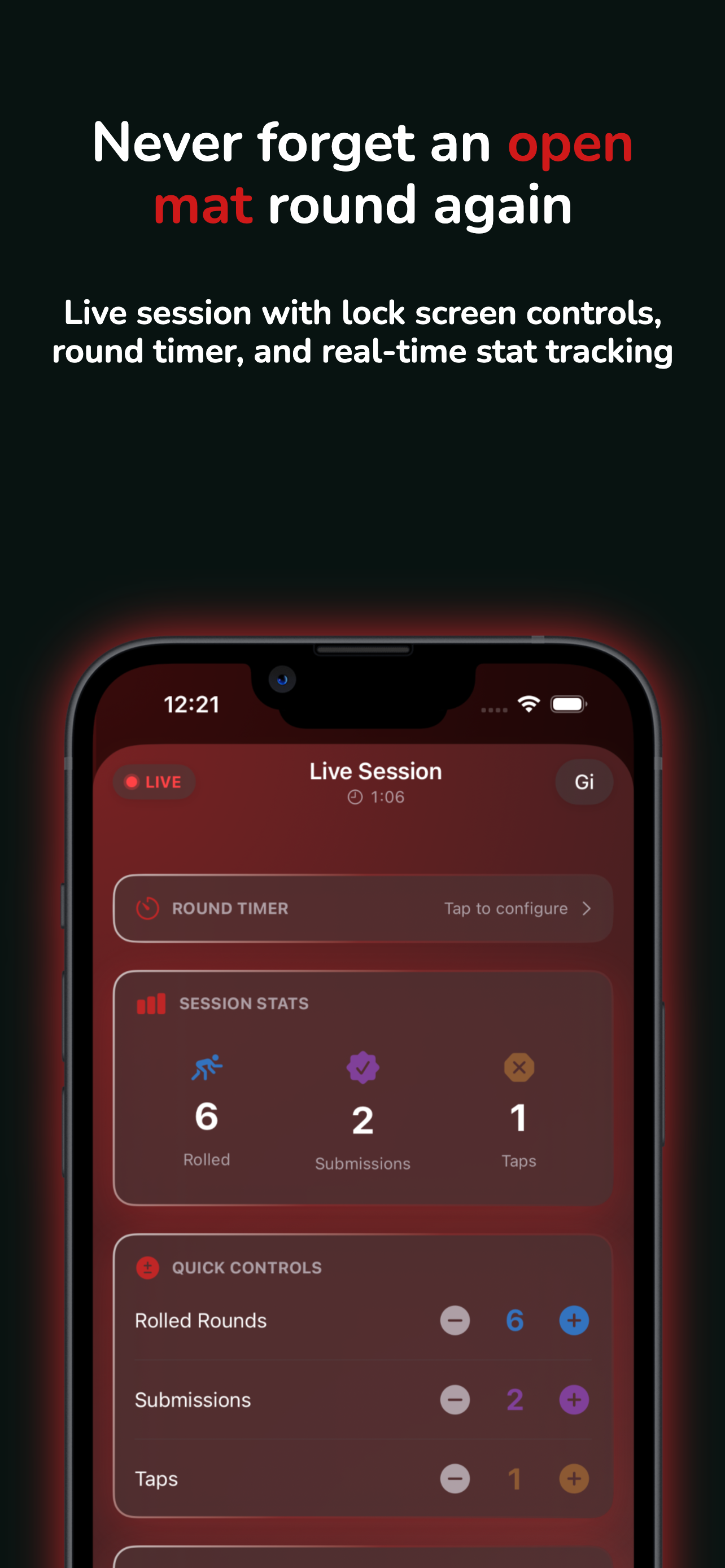
Log your rounds, submissions, and taps as they happen — not hours later from memory. Built-in timers, one-tap stat tracking, and lock screen controls make it easy to capture everything between rounds.

01

Built-In Round Timer

Start the timer when you step on the mat. It runs in the background while you roll, and audio cues let you know when rounds start and end — so you never have to check your phone mid-roll.

  • Configurable round timer with auto-roll to the next round
  • 🔢 See your running totals — rounds rolled, submissions hit, and taps given
  • 🔔 Audio cues for round start and end, even in silent mode
Live session with round timer and session stats

Round timer with real-time session stats

Quick Controls Between Rounds

When the round ends, grab your water and tap a few buttons. Increment your submissions, log a tap, tag the triangle you hit — it takes seconds, and you'll never forget the details.

  • 👉 Tap +/- to log rounds rolled, submissions, and taps as they happen
  • 🥇 Tag techniques you used — with position and outcome — while they're fresh
  • 🎯 Your focus points stay visible so you remember what to work on each round
Quick controls for stats and technique tagging

Increment stats and tag techniques between rounds

Save & Reflect

When you're done rolling, everything you tracked is already filled in. Add your notes while the session is still fresh, then save — no more trying to reconstruct your rolls from memory at home.

  • 📝 Choose session type: Open Mat only, Class + Open Mat, or Class Before
  • ✍️ Add class notes and open mat reflections — what worked, what didn't
  • Class Before adjusts your start time to account for instruction time
Session complete with save options and reflection

Save your session with class notes and reflections

Lock Screen & Dynamic Island

Don't want to unlock your phone between rounds? You don't have to. Increment your stats right from the lock screen or Dynamic Island — your phone never leaves your bag.

  • 📱 Tap +/- buttons on the lock screen to update rounds, submissions, and taps
  • 🟢 Dynamic Island shows your session duration and round count at a glance
  • 🔒 No unlocking, no app switching — just quick taps and back to rolling
Lock screen Live Activity with session controls

Track rounds from your lock screen

Technique Mastery

Your Technique Arsenal,
Fully Organized

Browse 150+ built-in techniques, create your own, link instructional content, and track every time you use a technique in training.

01

150+ Built-In Techniques

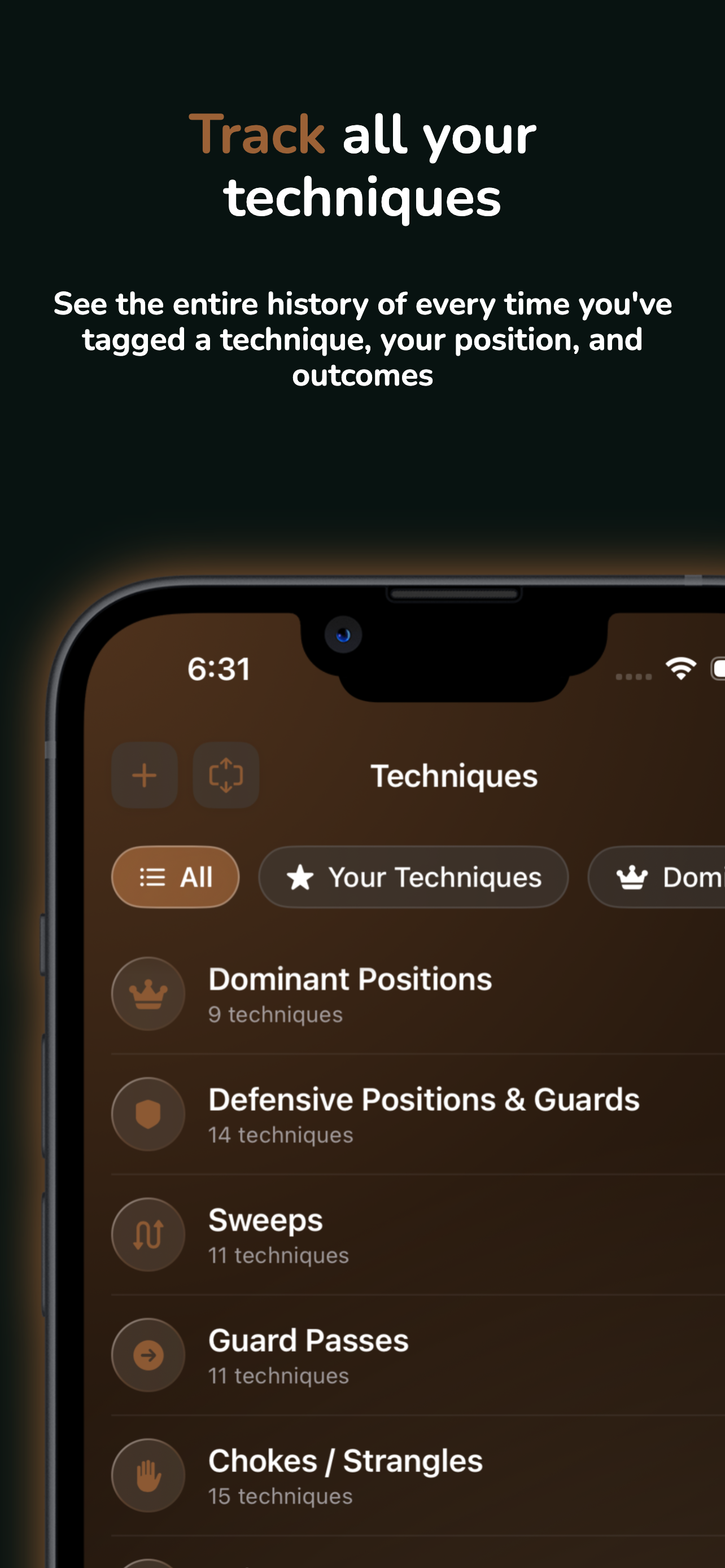
Start with a comprehensive library organized by category — from sweeps and guard passes to chokes, joint locks, and takedowns. Filter by category, search by name, or view your custom techniques in one place.

  • 📚 8 categories: Dominant Positions, Guards, Sweeps, Guard Passes, Chokes, Joint Locks, Leg Locks, Takedowns
  • 🎯 “Your Techniques” tab shows all custom techniques you’ve created
  • 🔍 Search and filter to find any technique in seconds
Technique library with categories like Sweeps, Guard Passes, Chokes

Browse 150+ techniques organized by category

Full Training History

Every time you tag a technique in a session, it's recorded. Open any technique to see a complete timeline — when you used it, from what position, and with what outcome.

  • 📅 See every session where you tagged the technique, with date and session type
  • 📊 Filter by position — top, bottom, or submissions — to spot patterns
  • 💡 Each technique includes a description and category for quick reference
  • 👉 Tap any session to jump straight to your notes and see exactly how the technique was used
Technique detail with training history and position filters

Complete training history for every technique

Link Instructional Content

Found a great breakdown on YouTube or Instagram? Link it directly to the technique. Keep all your study material organized alongside your training data so it's there when you need it.

  • 🔗 Paste links from YouTube, Instagram, TikTok, Facebook, or any website
  • Auto-detects the platform and adds the right icon
  • 📝 Add a description so you remember why you saved it
Add instructional link with auto-detected Instagram platform

Link instructionals from YouTube, Instagram, and more

Create Custom Techniques

Your game is unique. Create your own techniques with a name, category, position, and description — then tag them in sessions just like the built-in library.

  • ✏️ Name your technique and assign a category and position
  • 📝 Add a description with execution details and key points
  • 🔗 Attach instructional links right from the start
Create a custom technique with name, category, and position

Build techniques specific to your game

Deep Analytics

Your Entire Game,
Broken Down

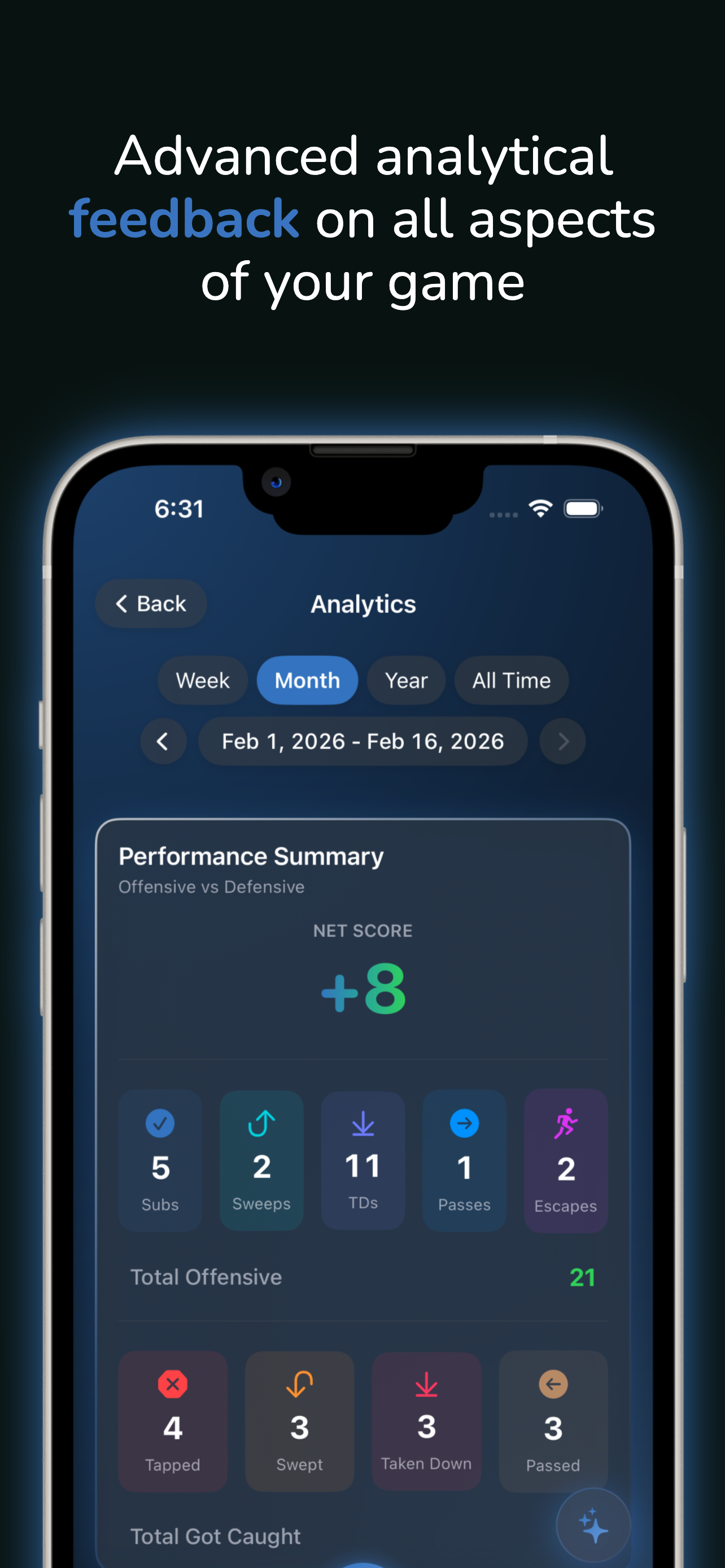
Go beyond basic stats. Track your net score, analyze position efficiency, spot trends over time, and see the full picture of your training.

01

Performance Summary

See your offensive and defensive stats side by side. Your net score tells you at a glance whether you're winning more exchanges than you're losing — and the detailed breakdown shows exactly where.

  • 📈 Net score combines submissions, sweeps, takedowns, guard passes, and escapes vs. their defensive counterparts
  • ⚔️ Total offensive and total defensive scores broken out separately
  • 📅 Filter by week, month, year, or all time — navigate between periods to compare
Performance summary with net score and offensive vs defensive breakdown

Net score and full offensive vs. defensive breakdown

Position Efficiency

Find out where your game is strongest and where it needs work. Position efficiency shows your success rate from top, bottom, and standing — so you can train smarter, not just harder.

  • 🎯 Efficiency percentage for each position based on your outcomes
  • 📊 Visual breakdown of time spent in each position
  • 💡 See submissions, sweeps, escapes, and total exchanges per position
Position efficiency chart showing top, bottom, and standing game

Position efficiency for top, bottom, and standing

Full Profile Dashboard

Everything about your training in one place. Session counts by type, calories burned from Apple Health, supplemental training days, and your most-used techniques — all filterable by time period.

  • 💪 Session counts broken out by class, open mat, private lessons, and competitions
  • 🔥 Calories burned and supplemental training days pulled from Apple Health
  • 🥇 Top submission and most-tapped technique at a glance
Full profile dashboard with session counts, calories, and top techniques

Your complete training dashboard

Health & Wearables

Your Wearable,
Your Data

Train BJJ works with any fitness wearable that writes to Apple Health — WHOOP, Garmin, Polar, Apple Watch, Oura Ring, Fitbit, COROS, Suunto, and more. Heart rate, calories, and duration flow into every session automatically.

01

Health Data on Every Session

Heart rate, calories burned, and workout duration are pulled directly from Apple Health and attached to your training sessions. No manual entry — just train and your wearable handles the rest.

  • Average heart rate, calories, and duration shown on every session detail
  • ⌨️ Works with any device that syncs to Apple Health — WHOOP, Garmin, Polar, Apple Watch, Oura Ring, Fitbit, COROS, Suunto, and more
  • 📈 Health stats flow into your profile analytics and shareable session cards
Session detail showing health data card with heart rate, calories, and duration from Apple Watch

Heart rate, calories, and duration on every session

Automatic Session Detection

Finish training and Train BJJ knows. The app monitors Apple Health for new workouts and prompts you to log a session — with the health data already attached. One tap and you're done.

  • 🔔 Workout Detected prompt appears automatically after training
  • ⏱️ Duration, calories, heart rate, and source device shown at a glance
  • 👉 Tap "Create Session" to log it instantly with all health data pre-filled
Workout Detected sheet showing WHOOP workout with calories and heart rate

Auto-detected workout ready to log in one tap

Import Health History

Started using Train BJJ after months of training? No problem. Bulk import past workouts directly from Apple Health — choose a 3, 6, or 12 month window and bring your entire training history up to speed in seconds.

  • 📅 Pull martial arts, wrestling, and mixed cardio workouts from Apple Health
  • 📋 Select which workouts to import — see type, duration, and calories for each
  • Duplicate detection ensures workouts already in your journal aren't imported twice
Import Health History screen showing past workouts from Apple Health

Bulk import past workouts from Apple Health

HealthKit Matching for Every Import

However you bring data into Train BJJ, health metrics are included automatically. CSV import, notebook scanner, and direct Health import all match your sessions to the closest HealthKit workout — so every session gets heart rate and calories attached.

  • 📄 CSV import matches each row to the closest HealthKit workout by time
  • 📷 Notebook scanner photos match to HealthKit workouts on the same date
  • 🔗 Toggle "Match with HealthKit workouts" on or off for any import method
CSV import screen with Match with HealthKit workouts toggle enabled

Every import method enriches sessions with health data

Free to Start, Premium to Dominate

Core training features are free forever. Unlock the full experience with Premium.

Free
$0
  • Unlimited session logging
  • 150+ technique library
  • Basic analytics & stats
  • Live Activity & Dynamic Island
  • Home screen widgets
  • HealthKit workout detection
  • Shareable session cards
  • AI features (limited monthly)
Premium
$7.99/month
  • Everything in Free
  • Advanced analytics & performance insights
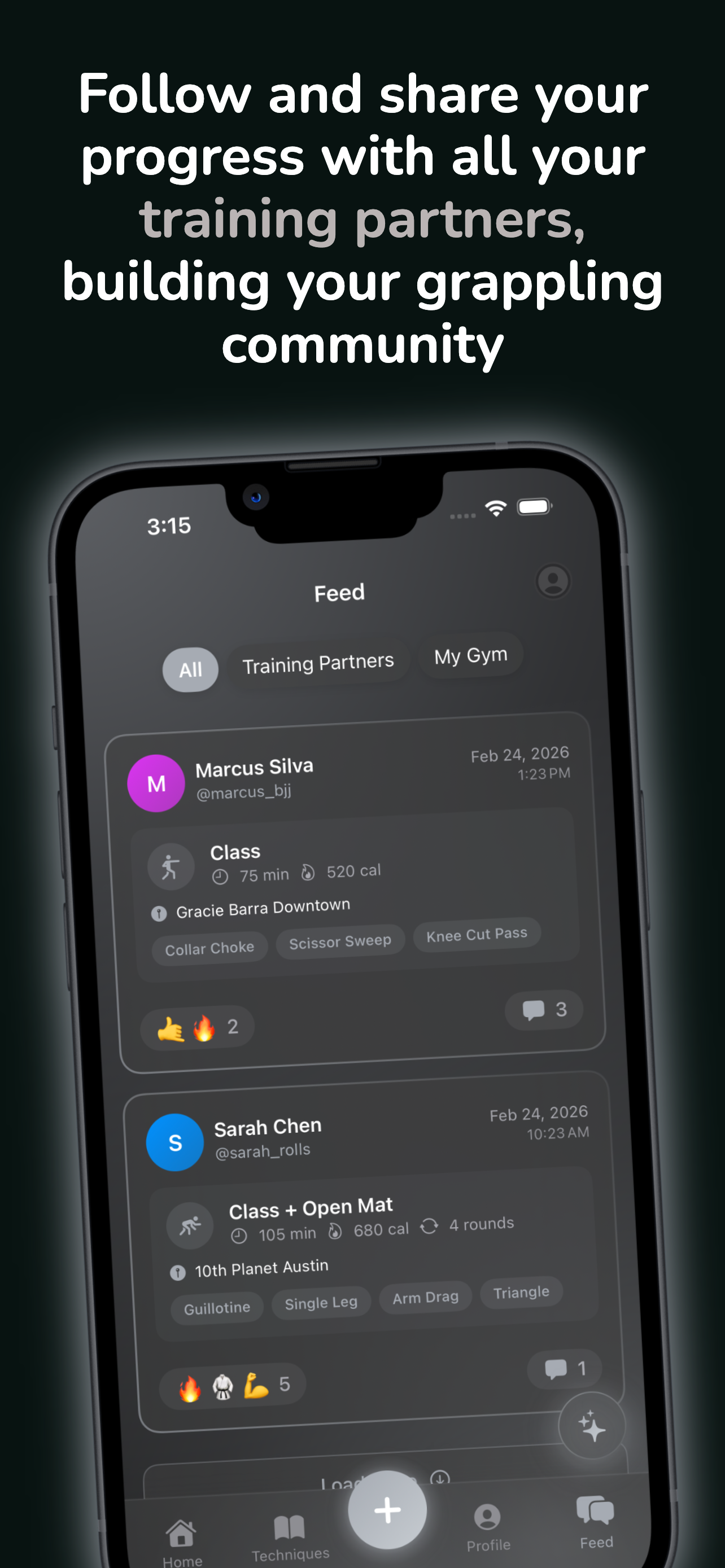
  • Social feed, reactions & comments
  • Training partner Stack Up comparisons
  • iCloud sync across devices
  • Unlimited custom techniques
  • Unlimited AI features
  • CSV & HealthKit bulk import
  • Data export

Also available: $59.99/year

Support

Have a question, bug report, or feature request? We typically respond within 24-48 hours.

support@trainbjjapp.com